

Vcontrol 1
Tuya Smart WIFI Video Intercom with Access Control
Full duplex voice intercom
2.4G WiFi connection, Android and iOS available
2MP+wide angle camera and night vision
Support TF card with unlimited capacity
Support motion detection, playback, take picture/video, unlock remotely
Touch key with one relay, 1000 users
EM card, Mifare card optional
Wiegand 26~44, 56, 58 bits in put & output
User data can be transferred
2 devices can be interlocked for 2 doors


Sales Inquiry
Description of WIFI Video Intercom
The device is Touch key Access Controller with WiFi-enabled Intercom. People can install the APP for intercom with their smart phone, and program the access controller by touch key. It is compatible with both iOS (7.0 above) and Android (4.3 above).
Features of WIFI Video Intercom
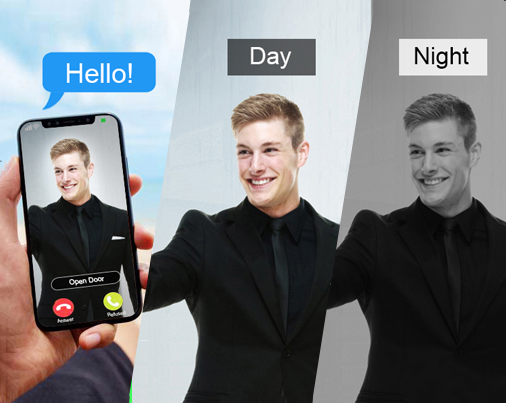
2.0Mpx(1080P) camera for video talking
Night Vision: IR-CUT
Night Vision: IR-CUT
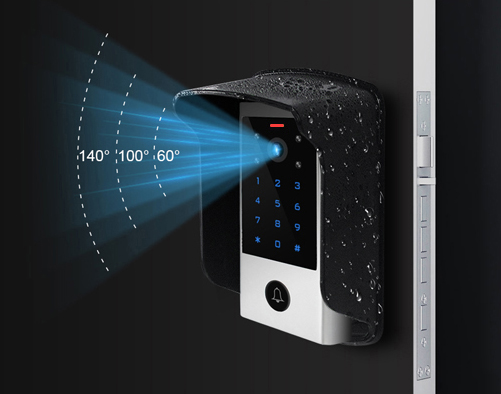
140° wide angle
Use rain cover for outdoor
Use rain cover for outdoor
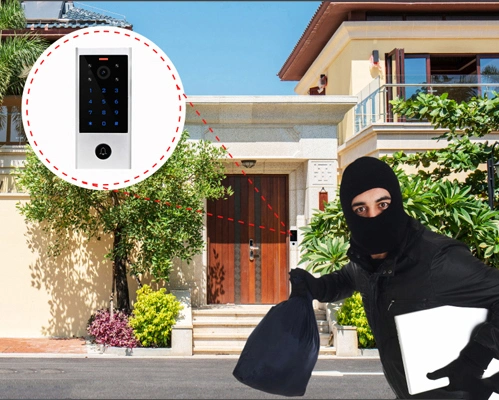
Motion detection
Take picture / Video Record
Take picture / Video Record
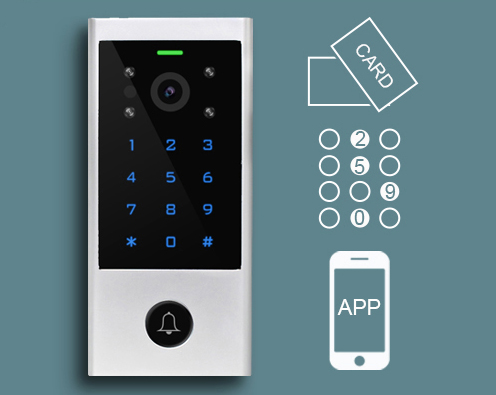
Access Mode:
Card, PIN, Phone(remotely)
Card, PIN, Phone(remotely)
FAQ of WIFI Video Intercom
1. Why is the Tuya WiFi video intercom offline sometimes?
Possible reasons include weak WiFi signal, unstable network, incorrect password, or device power failure. Move the device closer to the router, reconfigure the network, or check the power adapter.
2. Can’t connect the WiFi video intercom to the Tuya App, what should I do?
Make sure the phone is connected to 2.4GHz WiFi (Tuya devices usually do not support 5GHz), reset the door phone to factory settings, and try pairing again in AP or smart config mode.
3. No video or black screen when viewing via the App?
Check if the camera lens is blocked, the network bandwidth is insufficient, or the device firmware is outdated. Clean the lens, improve network speed, or update the firmware in the Tuya App.