{当前产品的产品关键词轮巡使用}
2026-08-13

Why Choose a Wired Video Intercom System for Reliable Commercial Security?

Why Choose a Wired Video Intercom System for High-Reliability Security?
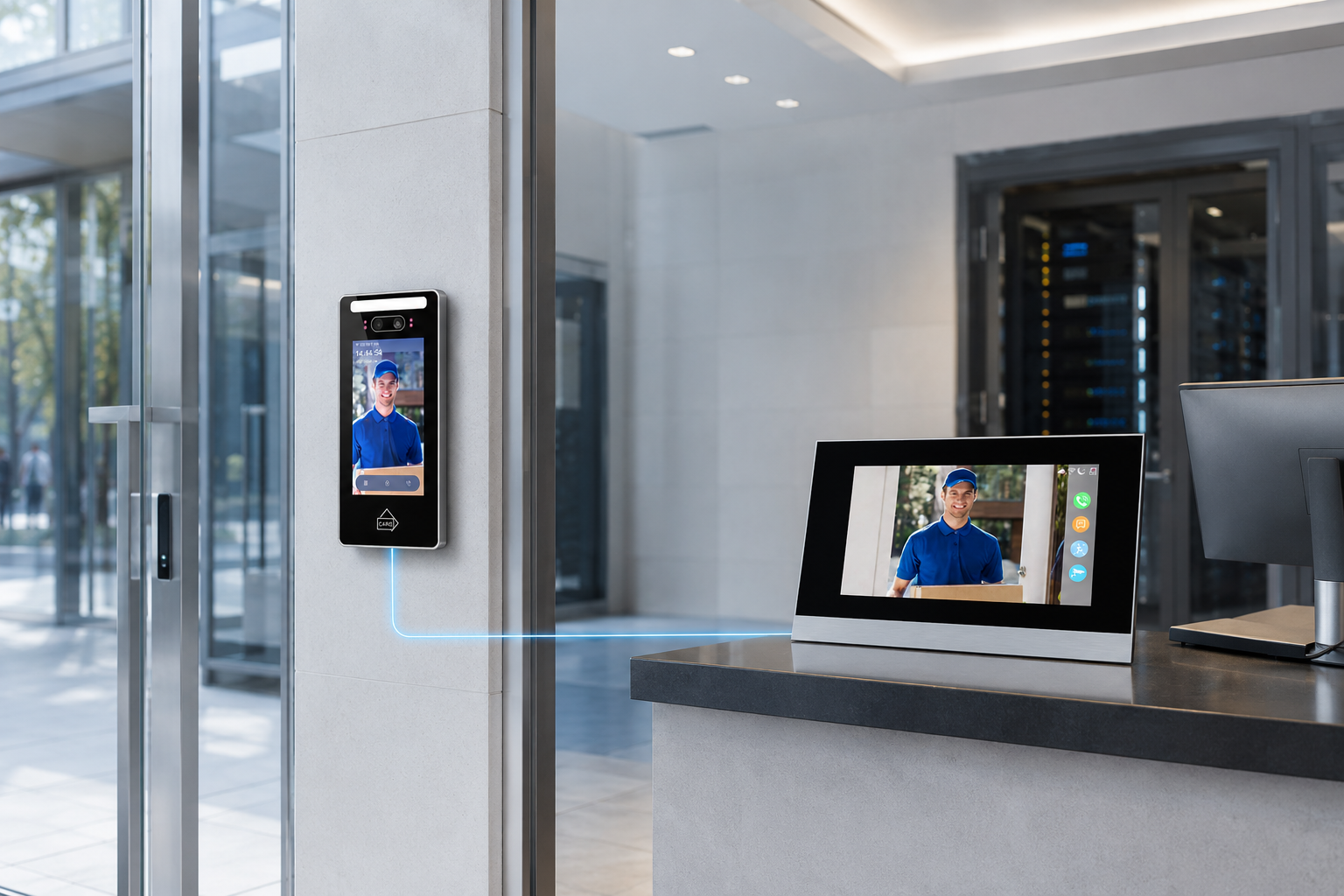
For offices, factories, hotels, hospitals and multi-tenant buildings, an entrance system must work reliably throughout the day—not only when wireless conditions are ideal.
A wired video intercom system provides a dedicated physical connection between outdoor stations, indoor monitors and the building network. Compared with consumer wireless doorbells, it offers more stable video communication, centralized management and better integration with commercial access control systems.
For projects where downtime, delayed calls or unstable video could create a security risk, a wired system is often the preferred long-term solution.

1. The Stability of Wired Door Video Intercom Systems
Wireless devices depend on signal strength, network congestion and the surrounding environment. Thick concrete walls, metal structures, elevators and nearby wireless equipment can all affect connection quality.
A wired door video intercom system uses Ethernet or dedicated communication cabling to create a consistent data path. This offers several advantages:
  • More stable audio and video transmission
  • Lower risk of signal interference
  • Faster response when a visitor calls
  • Consistent performance across large buildings
  • Easier integration with security rooms and reception desks
  • Better support for continuous operation
This reliability is particularly important for commercial entrances with frequent visitor traffic. Security personnel need to see, speak with and verify visitors without waiting for a weak wireless connection to recover.
Wired systems can also continue operating on the local network even if external internet access becomes unavailable, depending on the system configuration. This makes them suitable for sites requiring reliable local communication and access management.

2. Wired Doorbell vs. Intercom with Video
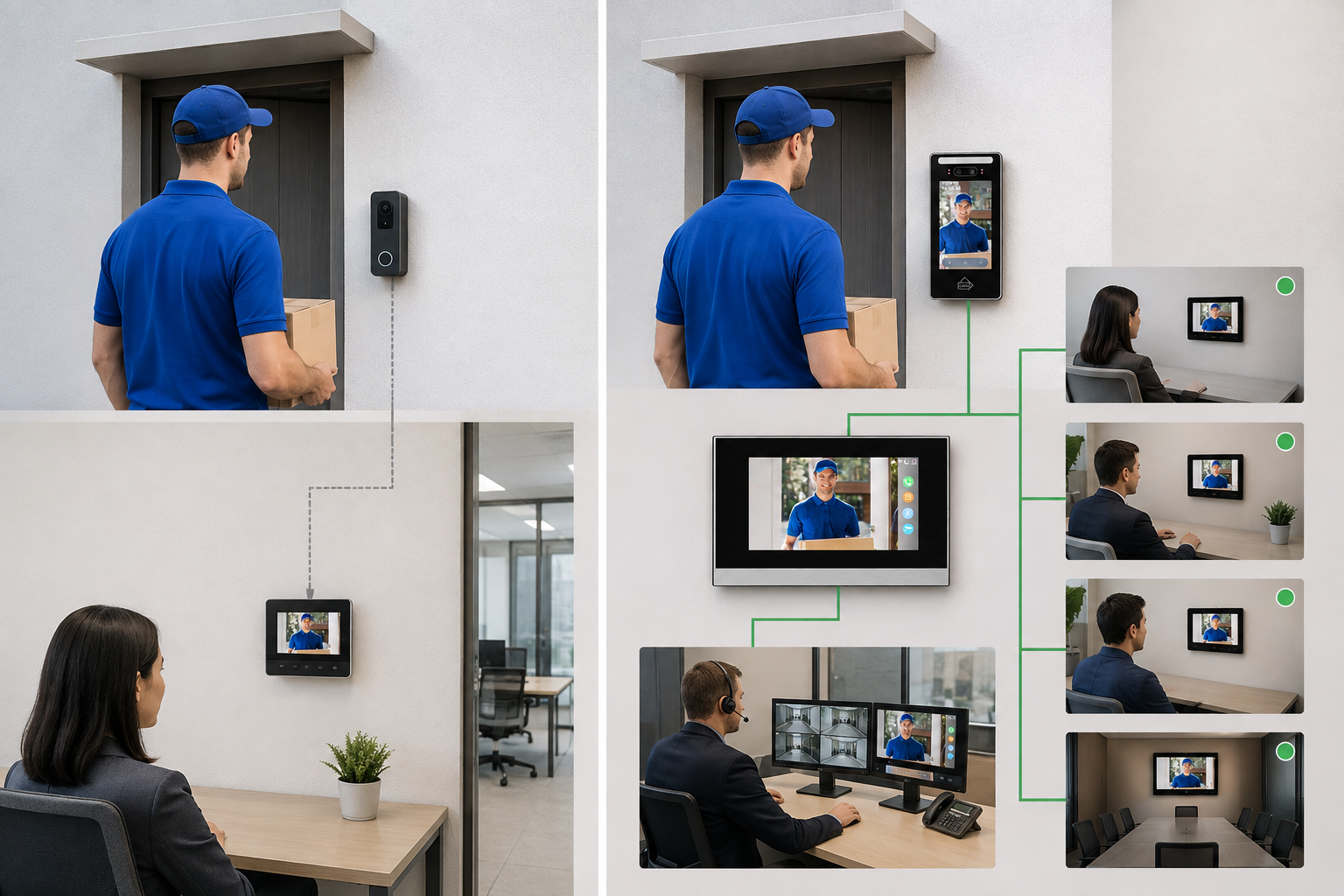
A wired video doorbell and a professional intercom with video may appear similar, but they are designed for different applications.
Feature
Wired Video Doorbell
Commercial Video Intercom
Typical application
Home or small office
Office, hotel, factory or apartment project
Call destination
Usually one device or mobile app
Reception, security desk or multiple monitors
Network structure
Basic point-to-point connection
Centralized and expandable network
Access control
Limited
Face, card, PIN and remote unlocking options
Monitoring
Basic visitor view
Entrance and connected-camera monitoring
Scalability
Limited
Multiple doors, monitors and user groups
Project management
Consumer-oriented
Suitable for installers and property managers
A basic doorbell is appropriate when users only need to receive a visitor alert. A commercial intercom system with video, however, becomes part of the building’s wider security infrastructure.
It can connect the entrance with reception staff, security teams and authorized indoor users. Depending on the configuration, different call modes can also be used for villas, offices and multi-user buildings.
For example, Secukey’s PoE video intercom solution supports communication between outdoor and indoor stations, camera monitoring and multiple verification methods. The outdoor station can support facial recognition, MIFARE cards and passwords, while the indoor monitor allows users to view visitors and unlock the entrance. View the referenced product information.

3. Installation Requirements for New Construction Projects

The best time to plan a wired video intercom installation is during the design or construction stage. Early planning allows cables, power equipment and mounting positions to be integrated neatly into the building.

Network cabling

Install quality Ethernet cabling between outdoor stations, indoor monitors and the designated network cabinet. Cable routes should remain separate from high-voltage power lines whenever possible to reduce interference and simplify maintenance.

Device mounting positions

Outdoor stations should be installed at a convenient operating height with a clear camera view of approaching visitors. Avoid locations with severe backlighting, direct water discharge or easily accessible exposed wiring.

Indoor monitors should be positioned where receptionists, security personnel or authorized users can answer calls efficiently.

Network cabinet and equipment space

Allow sufficient protected space for:

  • PoE switches

  • Network switches or controllers

  • UPS backup power

  • Surge-protection equipment

  • Patch panels and labeled connections

  • Future system expansion

Door and lock coordination

The installer should confirm the type of electric lock, exit button, door sensor and emergency-release equipment before wiring begins. This prevents incompatibility between the video intercom and the door hardware.

System capacity

Commercial projects should consider not only the initial number of doors and monitors, but also future expansion.

The selected network, PoE power budget and equipment cabinet should reserve sufficient capacity for additional entrances, cameras or indoor stations.

Good planning reduces visible cables, avoids later structural modifications and makes system maintenance much easier.


4. Securing PoE Connections
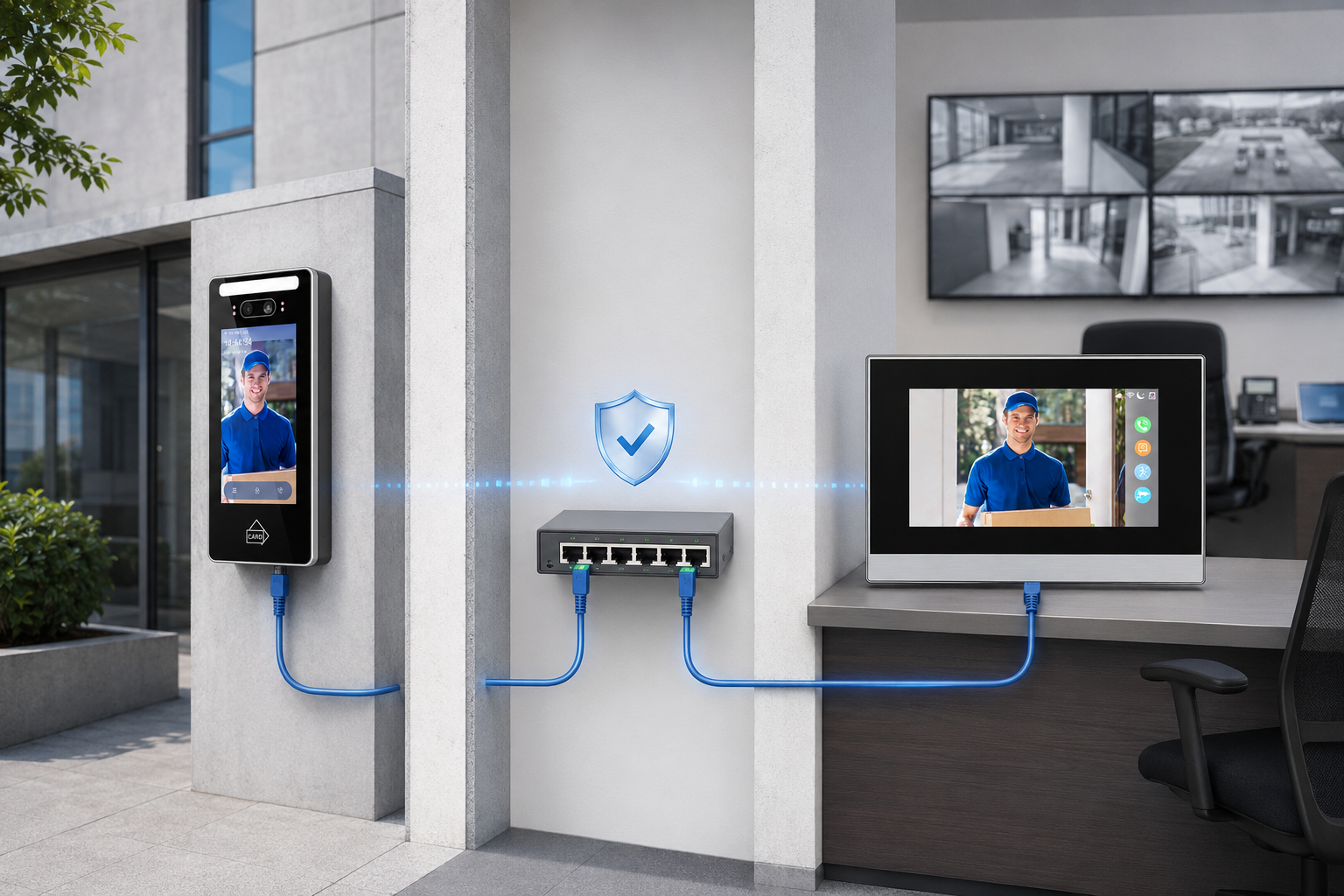
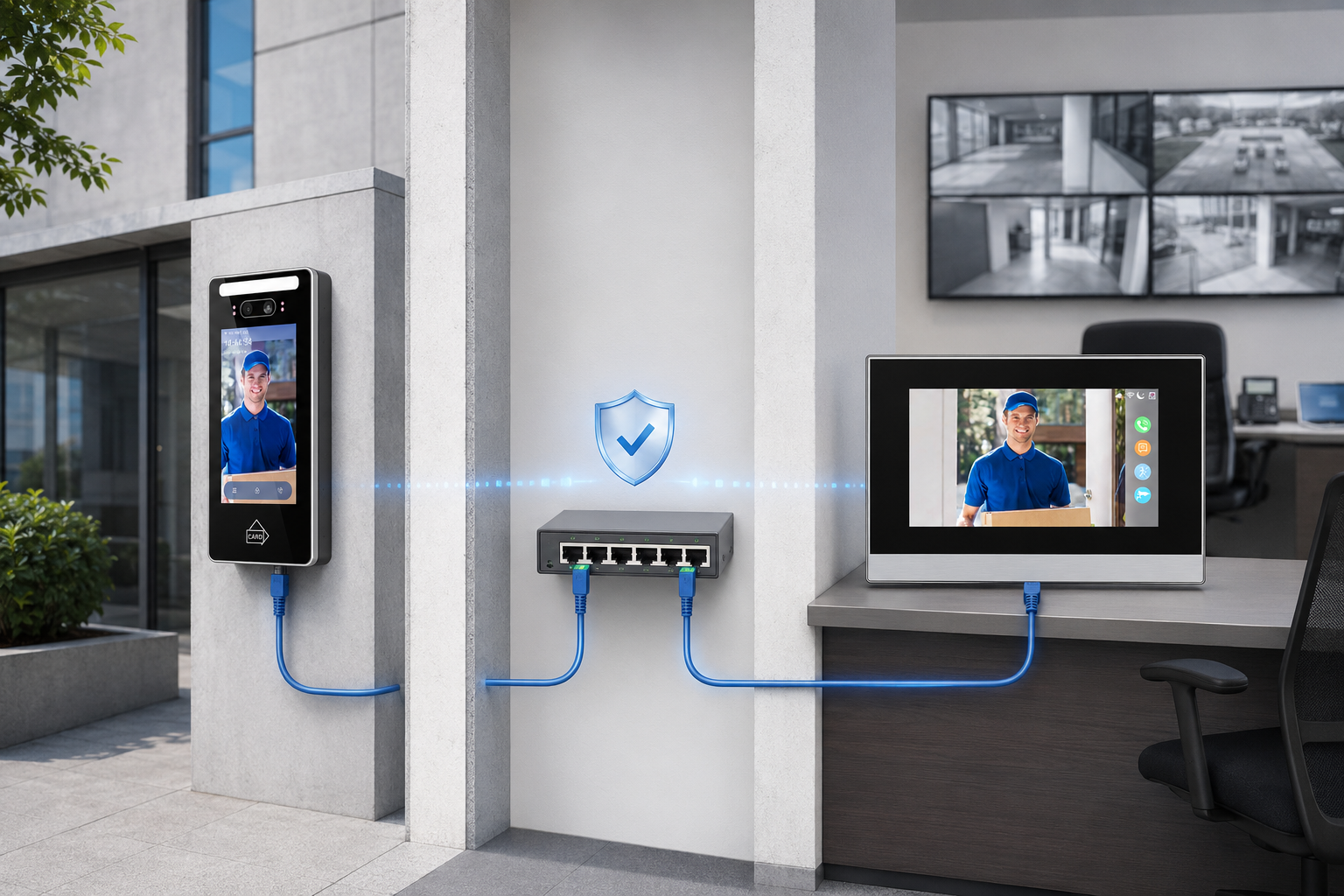
PoE—Power over Ethernet—allows power and data to travel through one Ethernet cable. This simplifies installation while providing a stable connection for IP-based video intercom devices.
However, the PoE network must be designed as part of the building’s security infrastructure.
Use managed or security-grade PoE switches
Commercial-grade equipment generally provides better reliability, monitoring and network-management options.
The switch must also have enough PoE power capacity for every connected device.
Protect the network cabinet
PoE switches, controllers and backup power equipment should be installed inside a locked cabinet or restricted technical room.
Unauthorized users should not be able to disconnect or replace network cables.
Separate the security network
Where possible, place the video intercom system on a dedicated VLAN or isolated security network.
Network segmentation helps prevent unrelated office devices from communicating directly with entrance equipment.
Add surge and power protection
Outdoor cables may be exposed to electrical surges.
Appropriate surge protection, grounding and shielded cabling should be considered according to the site environment and local installation standards.
Provide UPS backup
A UPS can maintain the PoE switch, indoor monitors and other essential network equipment during short power interruptions. The required backup time should be calculated according to the project’s security policy.
Protect cable routes
Ethernet cables should run through concealed walls, secure conduits or protected cable trays.
Avoid leaving connectors or cables exposed near the outdoor station.
Maintain clear documentation
Label each cable and switch port, record IP addresses and keep an updated system diagram.
Proper documentation helps technicians identify faults quickly without interrupting other entrances.

When Is a Wired Video Intercom the Better Choice?
A wired solution is especially suitable for:
  • Corporate offices and headquarters
  • Factories and industrial facilities
  • Hotels and serviced apartments
  • Hospitals and healthcare buildings
  • Schools and institutional projects
  • Multi-tenant commercial properties
  • Sites with thick concrete or metal structures
  • Projects requiring centralized security management
  • Buildings where system stability is more important than installation convenience
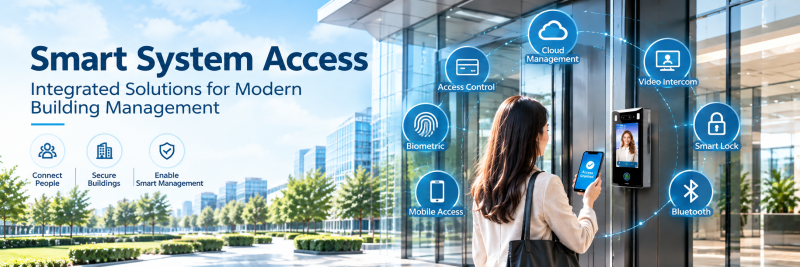
Wireless products may be useful for existing buildings where new cabling is difficult.
For new construction and high-reliability commercial security projects, however, wired infrastructure normally provides a stronger technical foundation.

A Reliable Foundation for Commercial Entrance Security
A wired video intercom system is more than a door communication device. It connects visitor verification, two-way communication, entrance monitoring and door access control through a structured network.
With properly planned Ethernet cabling, protected PoE equipment, backup power and secure network configuration, the system can provide stable performance and remain easier to manage as the building expands.
Secukey provides PoE video intercom solutions designed for different commercial entrance configurations, including outdoor stations, indoor touchscreens, camera monitoring and multiple visitor-verification methods.
Planning a new office, hotel, factory or commercial building project? Contact Secukey for product selection, system configuration and OEM/ODM support.