

Bluetooth vs. WiFi Smart Locks: Choosing the Right Connectivity for Your Facility
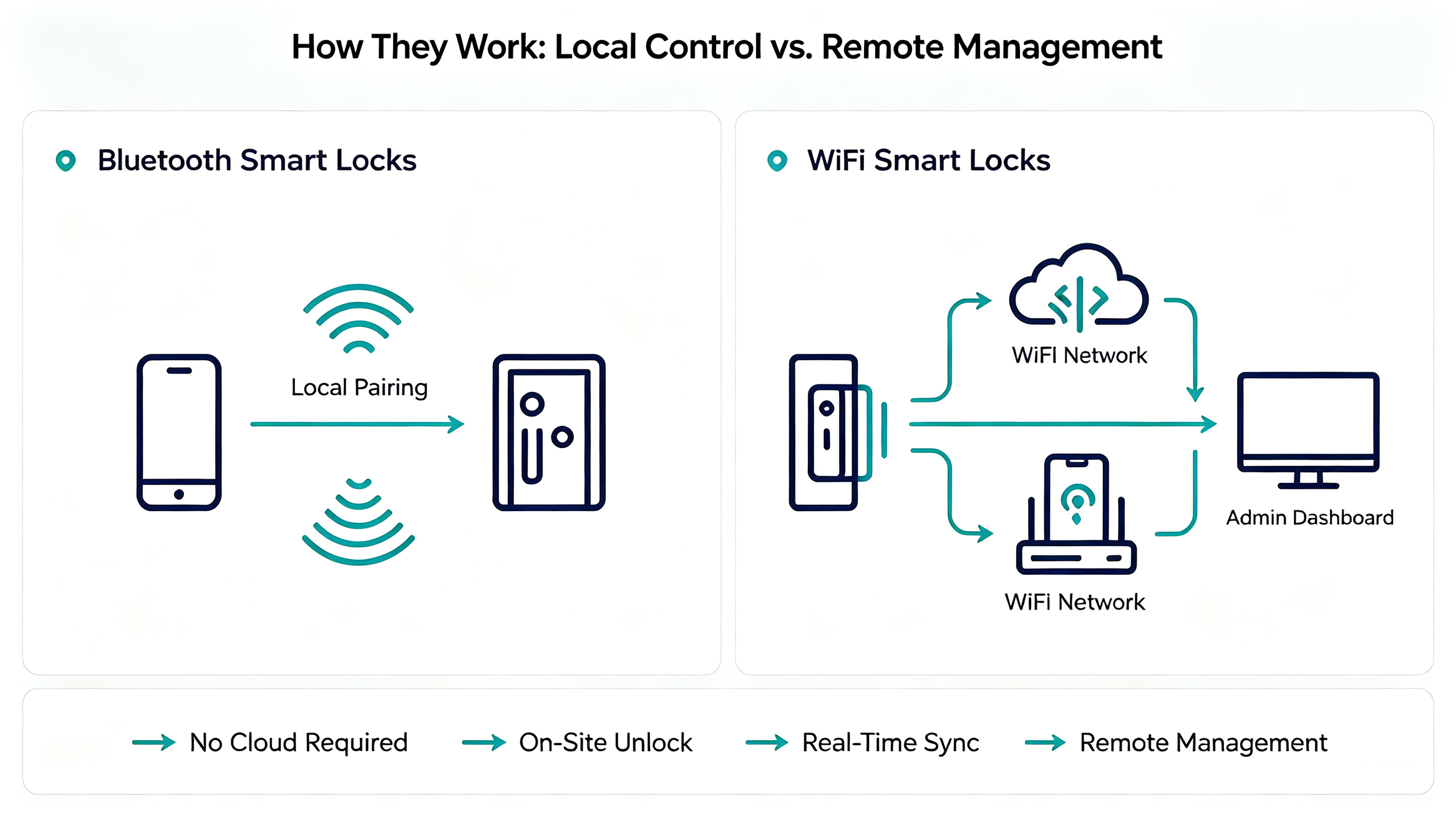
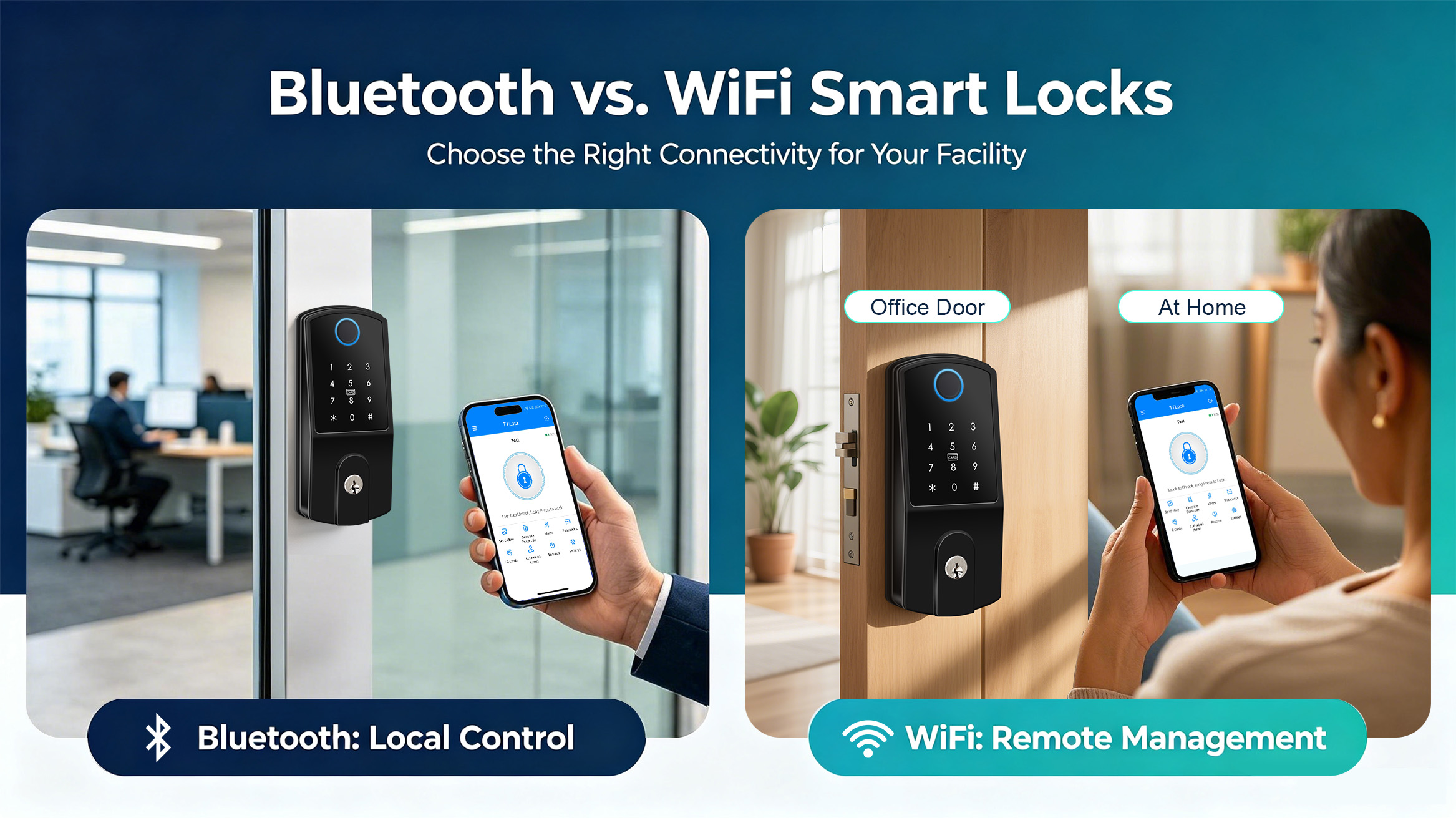
1. How Bluetooth Smart Locks Work: Stable Local Control for On-Site Operations
-
Ultra-long battery life: Low-power Bluetooth chips consume minimal power during standby and connection. Secukey Bluetooth locks support 12–18 months of continuous operation on standard batteries, greatly reducing frequent battery replacement labor costs for facility management.
-
High local security & stability: No public network transmission means no remote hacking risks or network interference failures. The local encryption algorithm independently developed by Secukey ensures that on-site unlocking and permission verification are not affected by network outages, router failures, or offline status.
-
Zero-complexity installation & deployment: Plug-and-play design requires no wiring or network configuration. It is suitable for rapid renovation of temporary offices, shared spaces, small retail stores, and rental properties without modifying on-site network infrastructure.
-
Low operational costs: No network bandwidth fees or cloud service subscription thresholds for basic local functions, ideal for budget-sensitive small and medium-sized facilities.
2. The Power of WiFi Smart Door Locks: Real-Time Remote Facility Management
-
24/7 real-time remote management: Support cross-region remote operation, which is suitable for chain stores, branch offices, multi-building campuses, and long-term vacant commercial spaces. Managers can authorize access for cleaners, maintenance personnel, and temporary staff remotely without on-site coordination.
-
Real-time access data & intelligent alarm: All unlocking records, abnormal door opening, forced lock picking, and overtime door status are uploaded to the cloud in real time. The system automatically pushes alarm notifications to managers’ mobile phones, realizing active security defense.
-
Powerful enterprise-level permission management: Support time-limited passwords, one-time temporary passwords, hierarchical user permissions, and multi-administrator collaborative management, meeting the refined access control needs of medium and large facilities.
-
Smart system integration: Compatible with mainstream smart building and access control systems, supporting linkage with monitoring, alarm, and lighting systems to build an integrated commercial smart security system.
3. Pros and Cons Face-Off: Battery Life vs. Real-Time Access (Commercial Focus)
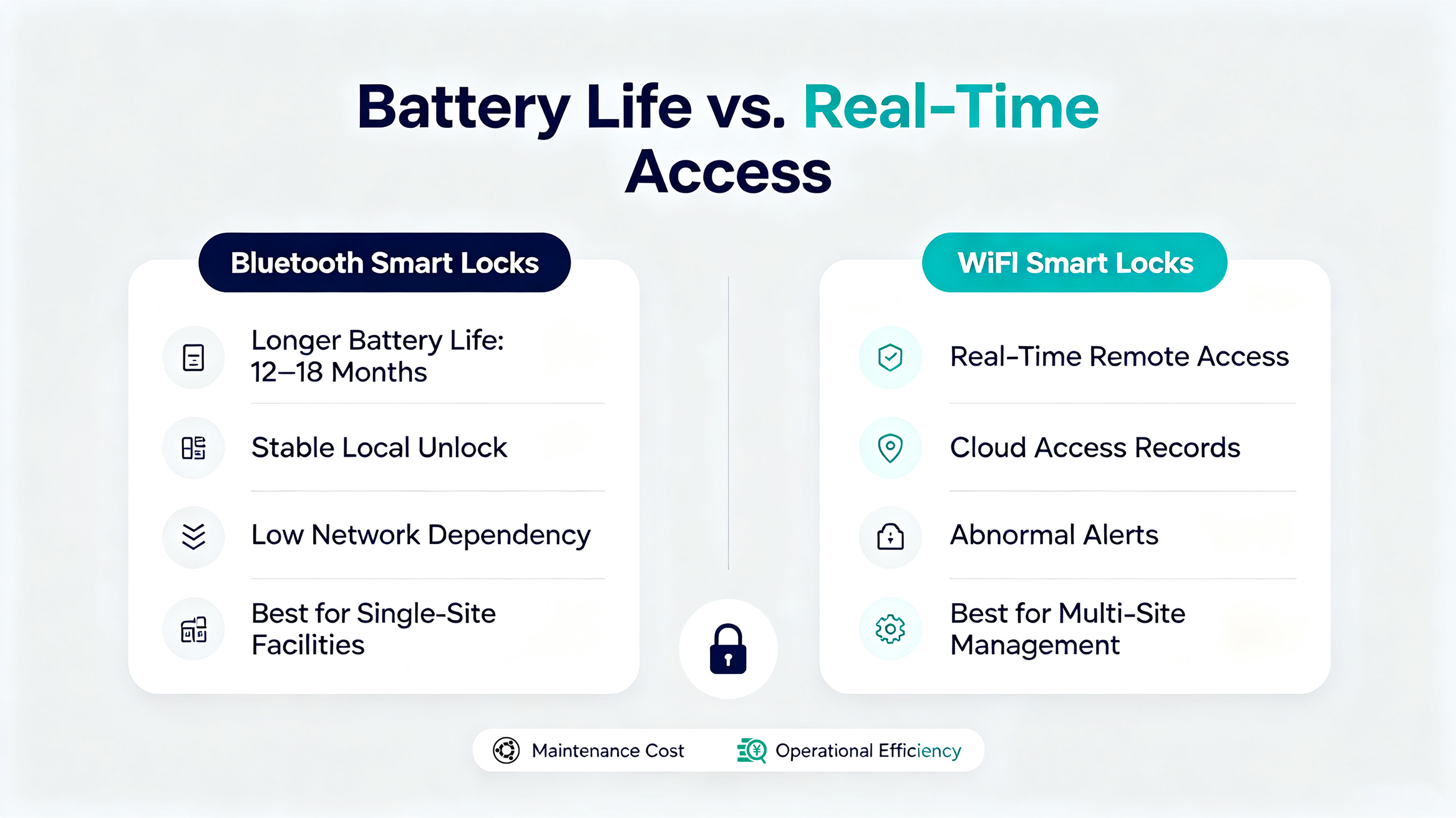
| Feature | Secukey Bluetooth Smart Lock | Secukey WiFi Smart Lock |
| Range | Short-range (25–30 ft) | Unlimited (internet) |
| Battery Life | 6–12 months (AA batteries) | 3–7 months (higher draw) |
| Remote Control | No (requires on-site presence) | Yes (full remote management) |
| Internet Dependency | Works offline | Requires stable WiFi |
| Integration | Limited to local app control | Cloud-based integration with PMS, voice assistants |
| Cost | Generally lower upfront cost | Higher upfront and infrastructure cost |
4. Hybrid Bluetooth/WiFi Gateways: Enterprise-Grade All-in-One Solution
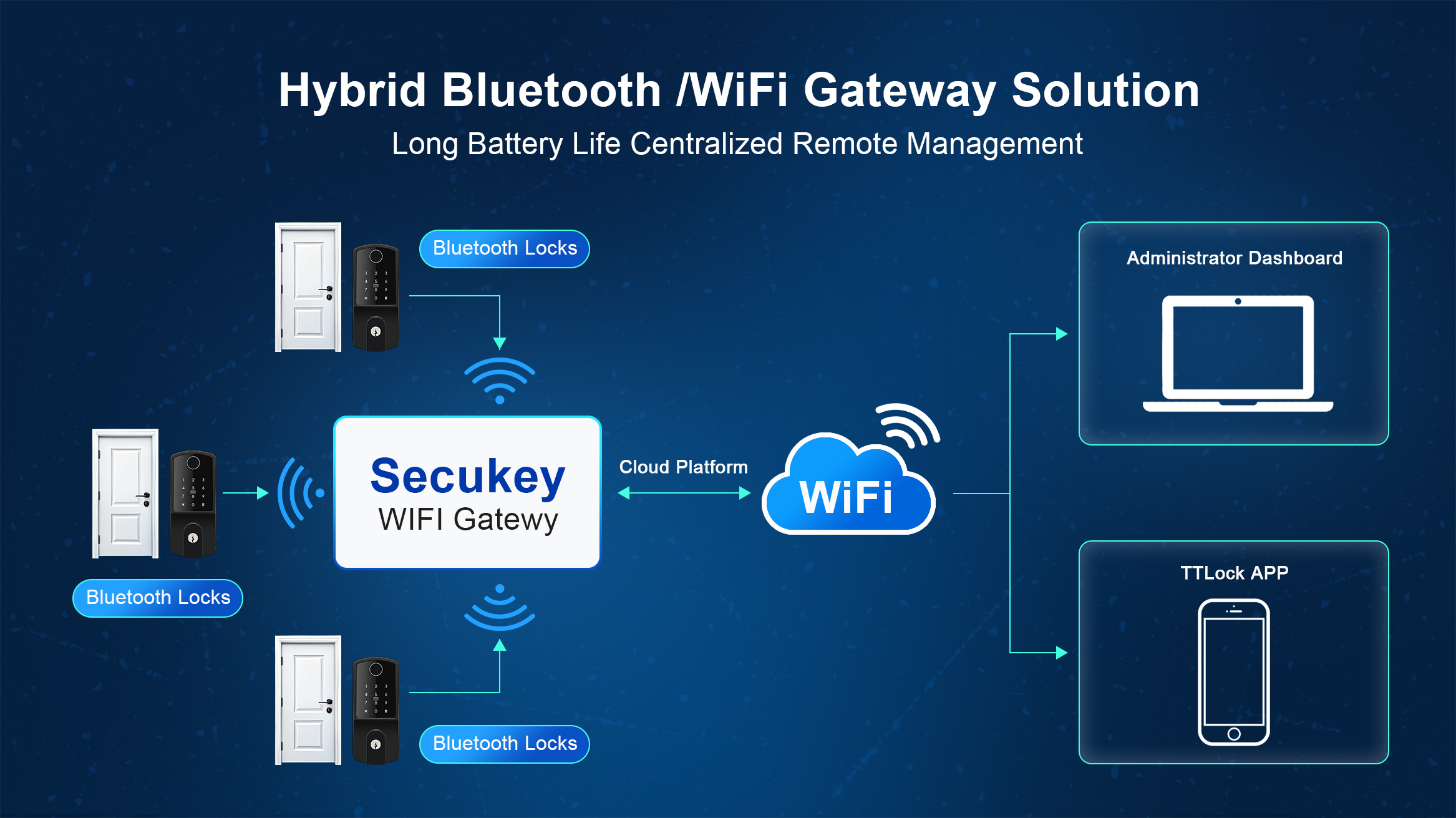
Do you have to choose one or the other? Not necessarily.
Enterprises often deploy Bluetooth smart locks combined with a WiFi gateway. This architecture provides the energy efficiency of Bluetooth with the remote access of WiFi.
How It Works
-
The Bluetooth lock connects locally to a gateway hub.
-
The gateway connects to the facility's WiFi network.
-
The gateway relays data to the cloud, enabling remote commands and real-time alerts.
Why Enterprises Prefer This Model
-
Best of Both Worlds: Long battery life of Bluetooth + remote management of WiFi.
-
Scalability: Manage hundreds of Bluetooth locks across multiple sites through a single cloud platform.
-
Redundancy: If internet fails, the Bluetooth lock still functions locally, ensuring no loss of physical access.
-
Integration: Gateways can support third-party integrations via API/SDK, ideal for properties using TTLock or Tuya systems.
5. Consultant's Recommendation: Which Should You Choose?
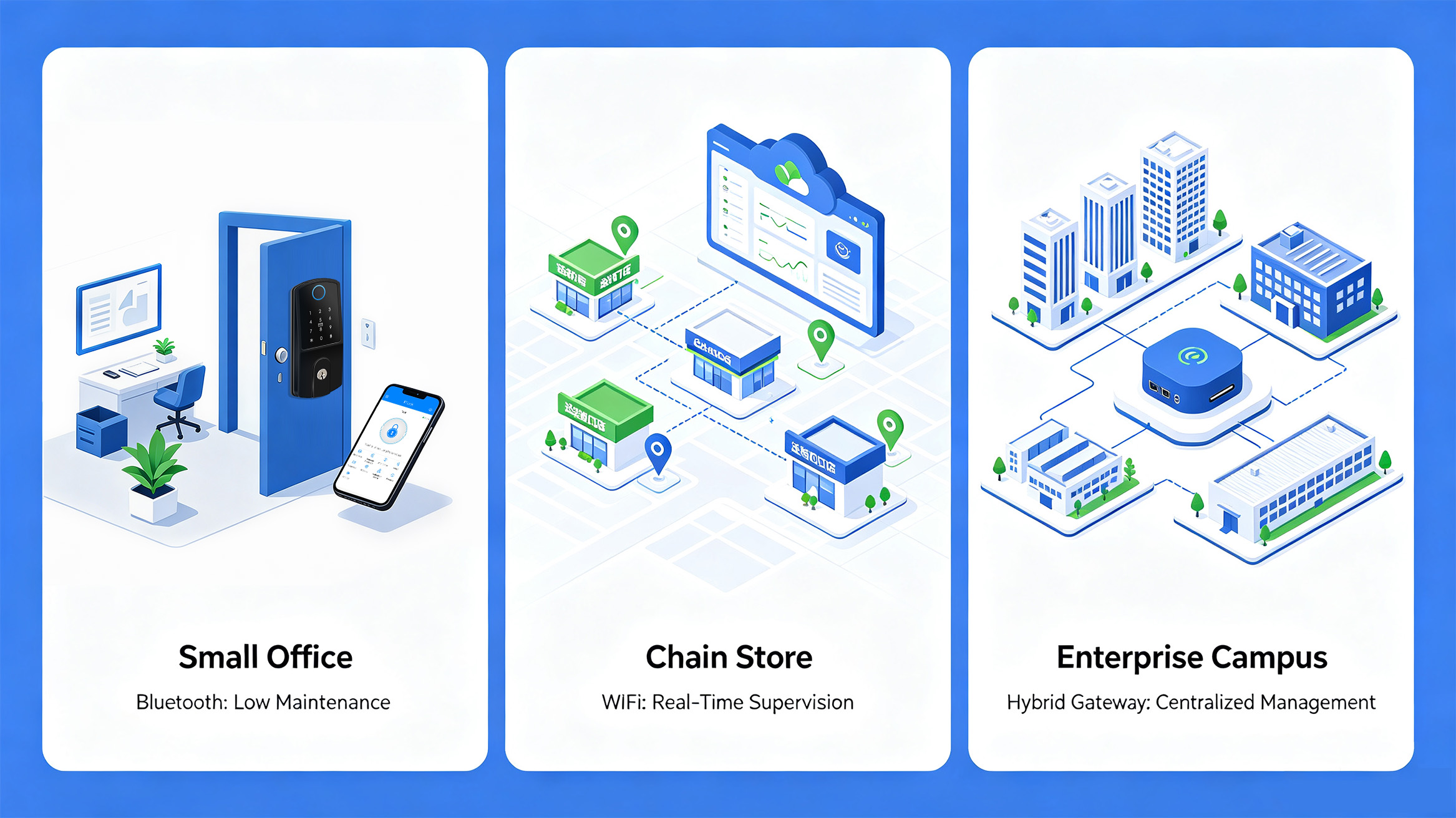
As a security consultant, I always advise that the "best" lock depends on your facility's operational reality. Here is a quick decision framework:
Choose Bluetooth Locks if:
-
You require simple, low-cost, local control.
-
Staff or managers are on-site daily.
-
You have unreliable internet and cannot maintain a stable WiFi network.
-
You are managing a small number of doors.
Choose WiFi Locks if:
-
You need true remote management and real-time alerts.
-
You operate vacation rentals or unmanned facilities.
-
You want to integrate with cloud-based management software (e.g., PMS for hotels).
-
You have strong WiFi coverage and are willing to manage battery replacement cycles.
Choose Hybrid Gateway Systems if:
-
You operate a medium-to-large enterprise with multiple locations.
-
You need scalability without sacrificing battery life.
-
You require API/SDK integration for custom access logic (e.g., TTLock or Tuya backend).
Conclusion: SecuKey's Approach to Smart Access
SecuKey understands that facility security is not one-size-fits-all. Our smart lock portfolio includes versatile Bluetooth options (compatible with Tuya and TT Lock) that support fingerprint, RFID, and app-based access. For enterprises requiring remote oversight, these locks can be paired with gateways to unlock cloud-based management.
Your security infrastructure should be as agile as your business. Whether you prioritize battery longevity or real-time access, the right connectivity ensures operational efficiency and peace of mind.
Evaluate your current operations. What is your most critical access requirement?
Contact Secukey Today for a Consultation
Let us help you design the perfect smart lock solution for your facility. Visit our website to explore our products and integrate robust, scalable security into your daily operations.