

D3
Smart Key Box
Metal case, zinc-alloy material, anti-vandal
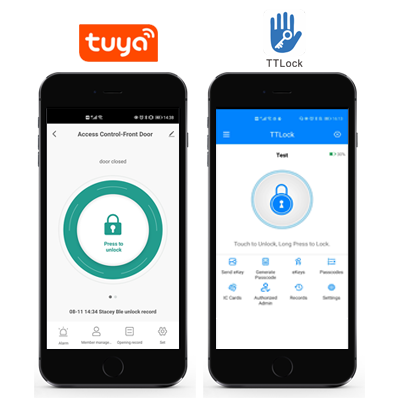
2 versions available: with Tuya Bluetooth OR with TT Lock Bluetooth
Work with fingerprint and 13.56MHz Mifare card
Waterproof, conforms to IP53
Battery type: CR123A battery
With USB port for emergency power
With Backup mechanical key for emergency override
Tuya Version: 50 fingerprints, 50 card, 50 PIN / TTLock Version: 100 fingerprints, 100 card, 150 PIN
Support working with Gateway for remotely unlock


Sales Inquiry
Description of Smart Lock Key Box
The device is a wireless fingerprint & card cylinder, which supports 100 fingerprint users and 100 card users.
Besides, there are 2 versions :Tuya Bluetooth or TTLock Bluetooth optional.
Besides, there are 2 versions :Tuya Bluetooth or TTLock Bluetooth optional.
Features of Smart Lock Key Box
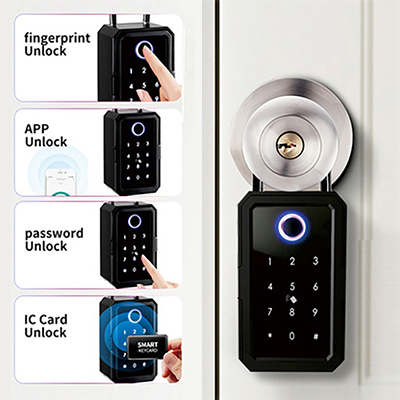
4-IN-1 Keyless Entry
 Smart Phone
  Fingerprint
 PIN
PINTuya APP or TTLock APP optional Unlock with the Tap of the Button
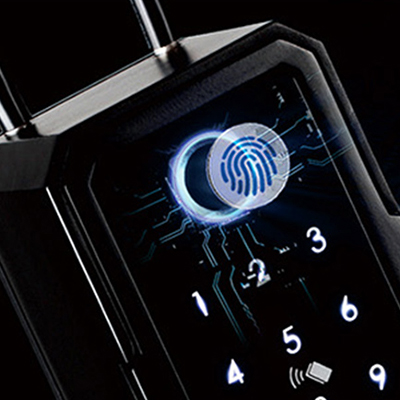
Semi-conductor Fingerprint Sensor; 360 Degree Recognization
Micro USB port for emergency power charging
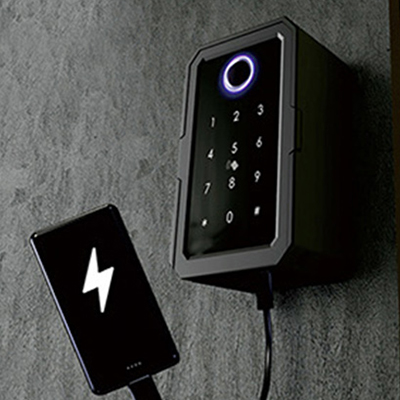
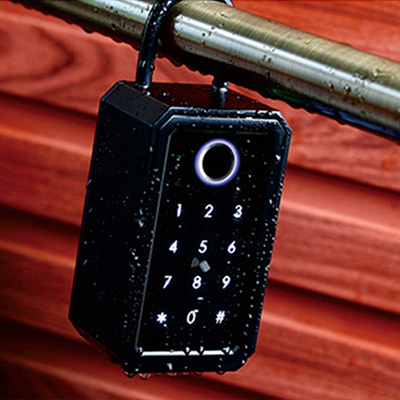
Waterproof, conforms to IP53
FAQs of Smart Lock Key Box
1. How do I open the key box if the battery is completely dead?
If the battery is fully drained, you can use the emergency power method. Most smart key boxes have a Micro USB or Type-C port on the exterior. Connect a power bank (5V USB) to this port to provide temporary power, then use your registered fingerprint, card, or passcode to open it. Alternatively, use the mechanical backup key if your model includes one.
If the battery is fully drained, you can use the emergency power method. Most smart key boxes have a Micro USB or Type-C port on the exterior. Connect a power bank (5V USB) to this port to provide temporary power, then use your registered fingerprint, card, or passcode to open it. Alternatively, use the mechanical backup key if your model includes one.
2.How do I pair the key box with the Tuya or TTLock app for the first time?
Make sure Bluetooth is enabled on your smartphone. Open the app and tap"Add Device"or the"+"icon. The app should automatically discover the key box via Bluetooth. Follow the on-screen instructions to complete pairing. If the device is not found, you may need to press the reset button inside the battery compartment (long press for about 2 seconds) to put the key box into pairing mode.
Make sure Bluetooth is enabled on your smartphone. Open the app and tap"Add Device"or the"+"icon. The app should automatically discover the key box via Bluetooth. Follow the on-screen instructions to complete pairing. If the device is not found, you may need to press the reset button inside the battery compartment (long press for about 2 seconds) to put the key box into pairing mode.
3.How long do the batteries last, and how can I check the battery level?
Thanks to Bluetooth Low Energy (BLE) technology, the batteries typically last about 12 months with normal use . The app displays the current battery level, and you will receive notifications when the battery is low. To extend battery life, use high-quality alkaline or lithium batteries. In cold weather, lithium batteries perform better.
Thanks to Bluetooth Low Energy (BLE) technology, the batteries typically last about 12 months with normal use . The app displays the current battery level, and you will receive notifications when the battery is low. To extend battery life, use high-quality alkaline or lithium batteries. In cold weather, lithium batteries perform better.
4.Can I share access to the key box with family or guests who don't have the app?
Yes. Within the Tuya or TTLock app, you can generate temporary, timed, or one-time passcodes. These codes can be shared via email, WhatsApp, or any messaging service. You can also issue IC cards or fingerprints (if supported) directly at the key box. For users with the TTLock app, you can send an"eKey"(digital key) that allows app-based access for a set period.
Yes. Within the Tuya or TTLock app, you can generate temporary, timed, or one-time passcodes. These codes can be shared via email, WhatsApp, or any messaging service. You can also issue IC cards or fingerprints (if supported) directly at the key box. For users with the TTLock app, you can send an"eKey"(digital key) that allows app-based access for a set period.